
Download Renee PDF Aide – PDF editor, PDF converter, PDF repair, PDF compression, OCR tool, document management
Overview
Renee PDF Aide is a multifunctional mobile application designed to streamline PDF management for users across various professional and personal contexts. Built with efficiency and accessibility in mind, the app addresses common challenges associated with PDF files, including format conversion, file corruption, excessive file size, and document security. Target users include students, office professionals, freelancers, and anyone who regularly handles digital documents on their smartphones or tablets.
The app is developed by Renee Tech, a company focused on creating practical, user-centric tools for document workflows. Although the developer did not provide additional technical details, the app’s functionality suggests a strong emphasis on reliability and performance. Real-world use cases include converting scanned reports into editable Word documents, compressing large PDFs for email sharing, merging multiple files for presentations, and securing sensitive documents with encryption.
In the broader app ecosystem, Renee PDF Aide fills a niche by offering a comprehensive suite of PDF tools in a single mobile package, reducing the need for multiple standalone applications.
Key Features & Functionality
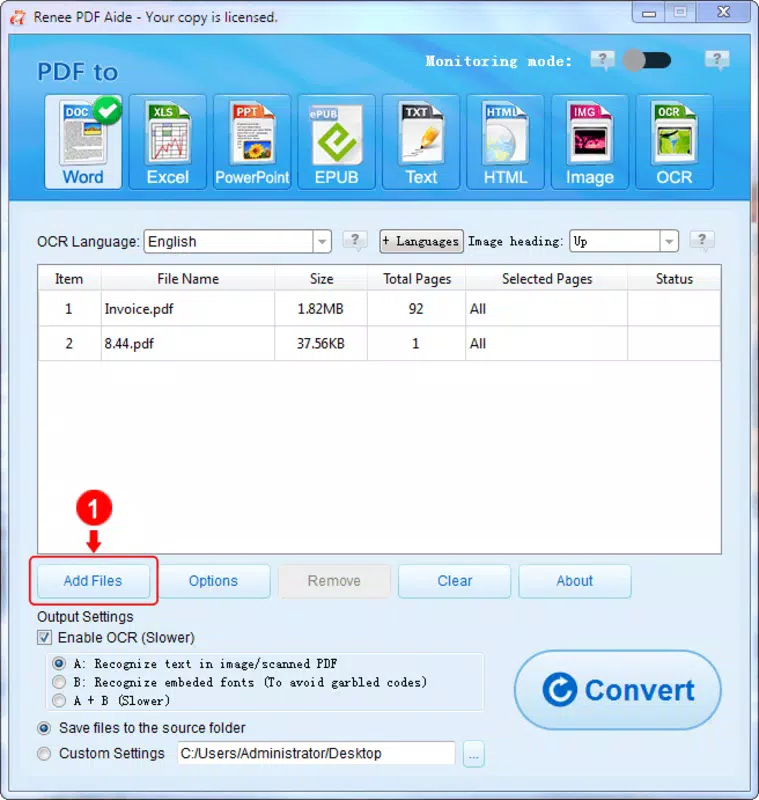
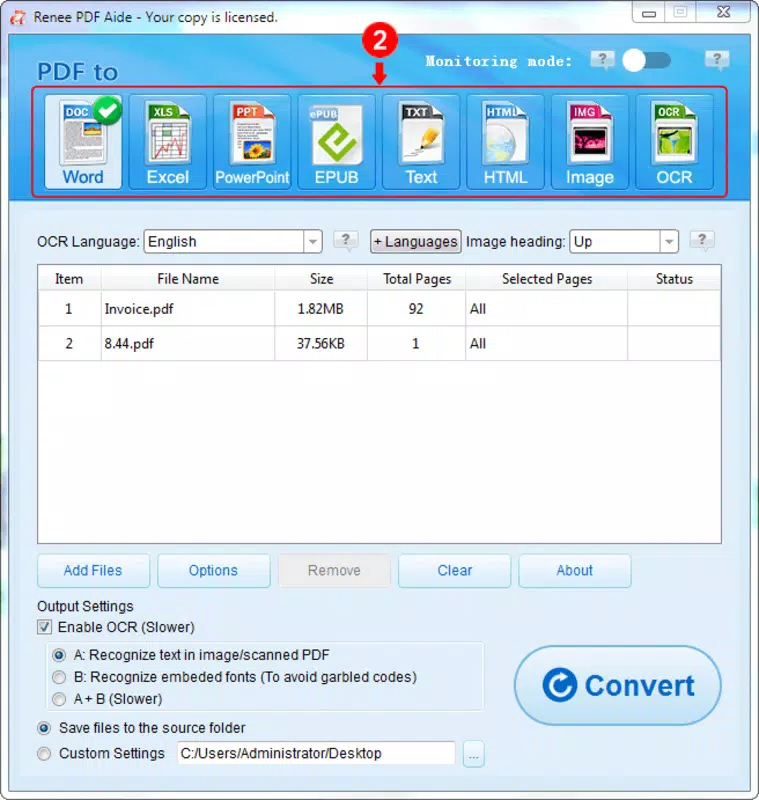
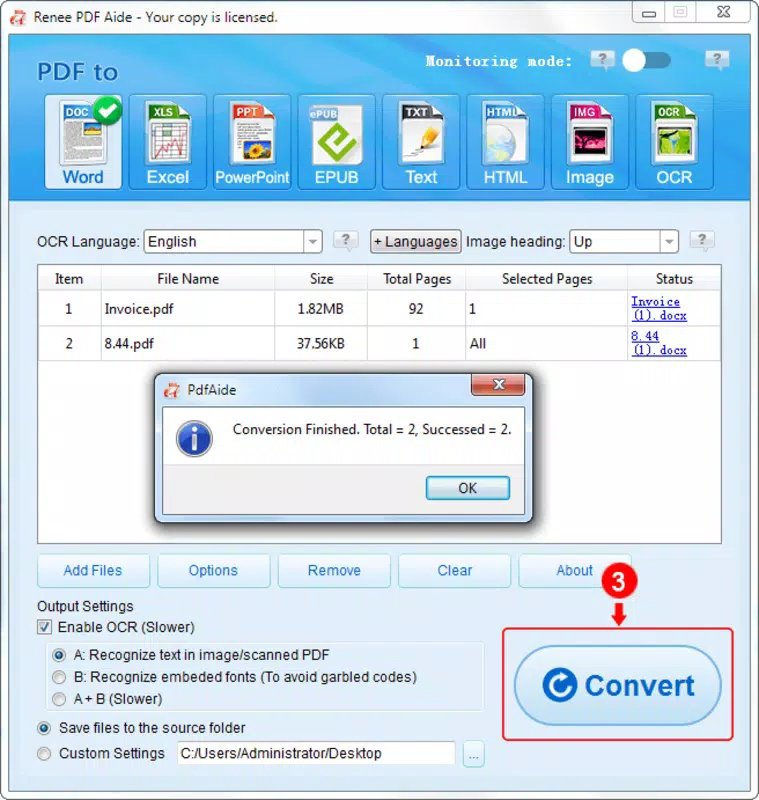
- Fast PDF Conversion: The app enables rapid conversion of PDF files into multiple formats, including Word, Excel, PowerPoint, Image, HTML, and TXT. With a reported speed of 80 pages per minute, users can efficiently transform large documents without significant delays.
- Page-Level Selectivity: Users can choose specific pages for conversion, allowing for precise document handling and reducing unnecessary processing of irrelevant content.
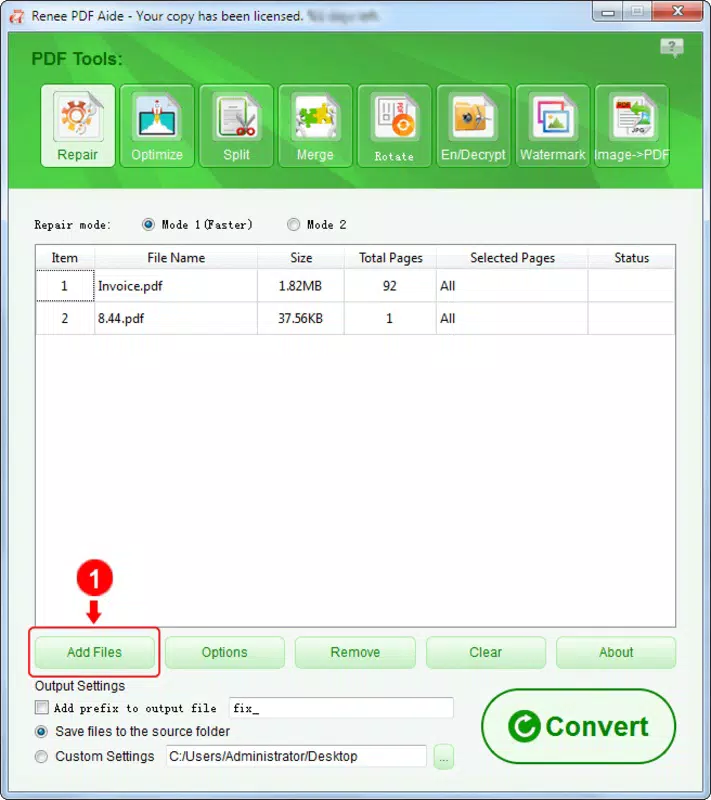
- File Repair: Damaged or corrupted PDFs can be restored, ensuring access to critical documents that might otherwise be unusable.
- Compression Tools: The app reduces file size while maintaining visual quality, making it easier to share documents via email or cloud services.
- Merging and Rotating: Multiple PDFs can be combined into one file, and individual pages can be rotated to correct orientation issues, improving document presentation.
- Security Enhancements: Users can apply encryption and watermarks to protect sensitive content and assert ownership over intellectual property.
- OCR Technology: Advanced optical character recognition supports multiple languages such as English, French, German, Spanish, Portuguese, Chinese, Korean, and Japanese, enabling accurate text extraction from scanned documents.
These features are particularly beneficial in academic settings where scanned research papers need to be edited, or in business environments where time-sensitive reports must be converted and shared quickly. The integration of OCR technology ensures that even non-editable scanned files become searchable and modifiable, significantly enhancing document usability.
Interface, UX & Performance
The user interface of Renee PDF Aide appears to be designed with clarity and ease of navigation in mind. The layout likely follows a clean, task-oriented structure, allowing users to access core functions—such as conversion, repair, and compression—through intuitive icons or menus. Visual elements are expected to be minimal yet functional, promoting focus on document handling rather than interface clutter.
Navigation flow is likely linear and predictable, reducing the learning curve for new users. The app’s performance on Android devices is expected to be responsive, with minimal lag during file processing tasks. Although the developer did not list formal performance metrics, the app’s ability to process 80 pages per minute suggests optimized background processing and efficient memory usage.
Stability is likely maintained through regular updates, though specific details on crash rates or error handling were not provided. The app’s lightweight size of 18.7 MB indicates efficient resource management, contributing to smooth operation even on mid-tier devices. Overall, the user experience is designed to prioritize speed, accuracy, and simplicity in everyday document workflows.
Platform Compatibility & Technical Requirements
Renee PDF Aide is available exclusively on the Android platform. The current version is 1.0.0, with a file size of 18.7 MB, indicating a compact and lightweight application. The developer did not specify minimum OS requirements, nor did they list compatibility details for specific device models or screen sizes.
As such, users should verify whether their device meets the necessary conditions for installation and optimal performance. While the app is free to download and install, the absence of detailed technical specifications means that compatibility with older or low-memory devices remains uncertain. Users are advised to check their device’s system settings and ensure that the Android version supports the app’s runtime environment.
For those seeking a secure, mobile-based PDF tool, Renee PDF Aide offers a promising entry point, especially for users already invested in the Android ecosystem.
Pros and Cons
Pros
- Free to download and use, offering high-value tools without cost.
- Comprehensive feature set including conversion, repair, compression, and OCR.
- High-speed processing with 80 pages per minute conversion capability.
- Supports multiple languages in OCR, enhancing global usability.
- Lightweight size of 18.7 MB reduces storage impact.
- Offers security features like encryption and watermarks.
Cons
- Specific OS version requirements were not listed.
- Compatibility with older Android devices is unclear.
- No information provided on update frequency or future feature roadmap.
- Developer did not disclose details about data privacy or cloud integration.
- Performance on low-end devices remains unverified.
FAQ
Is Renee PDF Aide safe to download and install?
Yes, the app is free and available through official Android channels. As with any mobile application, users should ensure they download from trusted sources to maintain device security.
Can I use Renee PDF Aide on older Android devices?
The developer did not specify minimum OS requirements. While the app’s lightweight size suggests broad compatibility, users are advised to test installation on their specific device.
Does Renee PDF Aide support batch processing?
While not explicitly stated, the app’s fast conversion speed and page-level selection suggest potential support for batch operations, though this feature was not confirmed in the provided information.
Is my data secure when using Renee PDF Aide?
The developer did not provide details on data handling, privacy policies, or cloud storage. Users should assume local processing and avoid uploading sensitive files unless they are confident in the app’s security practices.
How often is Renee PDF Aide updated?
Specific update frequency was not disclosed. Users are encouraged to check the app store regularly for new versions and improvements.
Final Thoughts
Renee PDF Aide stands out as a powerful, all-in-one PDF solution tailored for Android users who need reliable document management on the go. With its combination of fast conversion, file repair, compression, and OCR capabilities, it delivers exceptional value—especially given its free price point. The app’s clean interface and efficient performance make it accessible to both beginners and experienced users.
While some technical details remain undisclosed, the app’s core functionality is robust and well-suited for daily use in education, business, and personal projects. For anyone seeking a secure, feature-rich mobile tool to edit, convert, and protect PDFs, Renee PDF Aide offers a compelling option. Download Renee PDF Aide now.


